
Project Overview & Mission
Proposed as an alternative solution to similar group working and other team collaboration platforms, TeamWork is a multi product cloud based suite that offers its users instant messaging, video calling, document sharing and more. TeamWork was developed by myself and a fellow student as part of a 14 week course in the Rutgers MBS Program titled “Contextual Inquiry”. The main focus of this course was to develop our skills in contextual inquiry, the study of users in their environment to better understand their motivations, thoughts and actions.
User Interviews
The research began with a survey designed to identify which messaging platforms participants commonly use and in what contexts (school, work, or personal use). The survey included a consent form outlining the purpose and procedures of the study to ensure participants’ informed participation. Once collected, the survey data were compiled into a spreadsheet for analysis.
Based on these responses, a subset of participants was randomly selected and invited to take part in semi-structured interviews conducted via Zoom. Each interview followed a standardized interview protocol, beginning with casual conversation to build rapport and ensure participant comfort. The semi-structured format allowed flexibility to explore participants’ perspectives more deeply while maintaining consistency across interviews.
Questions for the interview:
“Do you use multiple messaging platforms?”
“What would you consider the main reason you use [insert messaging platform]?”
“What features are included in [insert messaging platform] that drives you to use this platform over any other ones”
“Do you have any concerns or frustrations when it comes to these messaging platforms?”
“Do you find collaborations with work groups or friends challenging?”
Each of the questions were expanded on further to gain a stronger foundation and a proper understanding of the participants’ responses. Following this, the participant would either share a screenshot, or their mobile screen with their data usage. Here, information regarding the hours each messaging platform was shared. Each interview lasted approximately 10-15 min.
Three Main Interview Insights
1. The fragmentation of communication tools was a significant barrier to efficient collaboration
2. Users needed a more intuitive, reliable, all-encompassing platform that could seamlessly integrate messaging, task management, and file sharing
3. Users desired a platform that could adapt to their diverse work practices
Diagramming & Insights
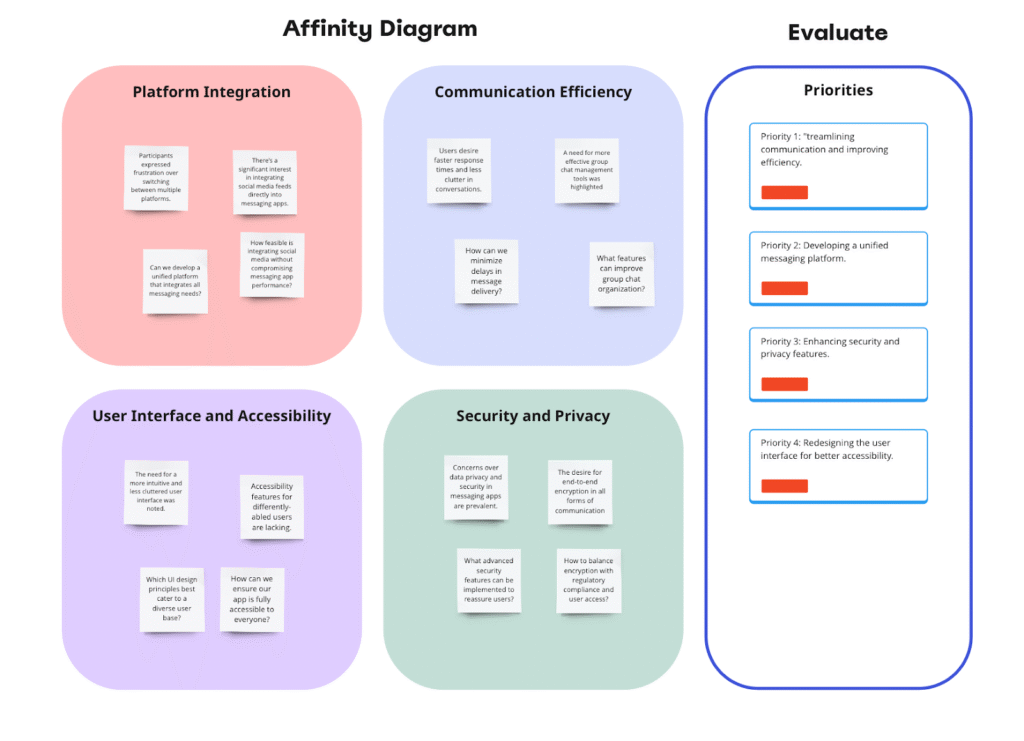
The Affinity Diagram is a crucial tool for managing large sets of data, particularly useful when trying to decipher patterns from user feedback, survey results, and interview transcripts. By organizing this information into clusters of similar items, we can visually identify themes and insights that might not be evident through a linear analysis. This method facilitates a more targeted approach to understanding the specific needs and frustrations users experience with current messaging platforms. Some of the specific needs we isolated for users of TeamWork were Platform Integration, Communication Efficiency, User Interface and Accessibility, and Security and Privacy.
Persona Development
Persona 1: Alex, the Efficiency-Driven Project Manager
Persona 2: Jordan, the Design Freelancer with Moderate Tech Proficiency
Persona 3: Taylor, the HR Professional Prioritizing Security
Three distinct personas were envisioned to nail down our target audience. Alex, Jordan and Taylor are all young and mid age professionals that rely on remote team communication platforms to get their work done. Conducting individualized analyses of these users and their use cases allowed us to build TeamWork with specific functionalities they would rely on, such as a project management tab with an emphasis on task management, an intuitive design with a gentle learning curve, and state of the art security features.
User Environment Design
From the storyboards, we are able to recognize five unique user desires for the TeamWork app. From these six, we are able to create two defining categories of app functionality: The Communicator and The Task Manager. Within each branch, we see focal points of the app’s potential functions to meet users’ needs. The User Environment Design prompted us to think critically about how to create a platform that is inspired by user feedback.
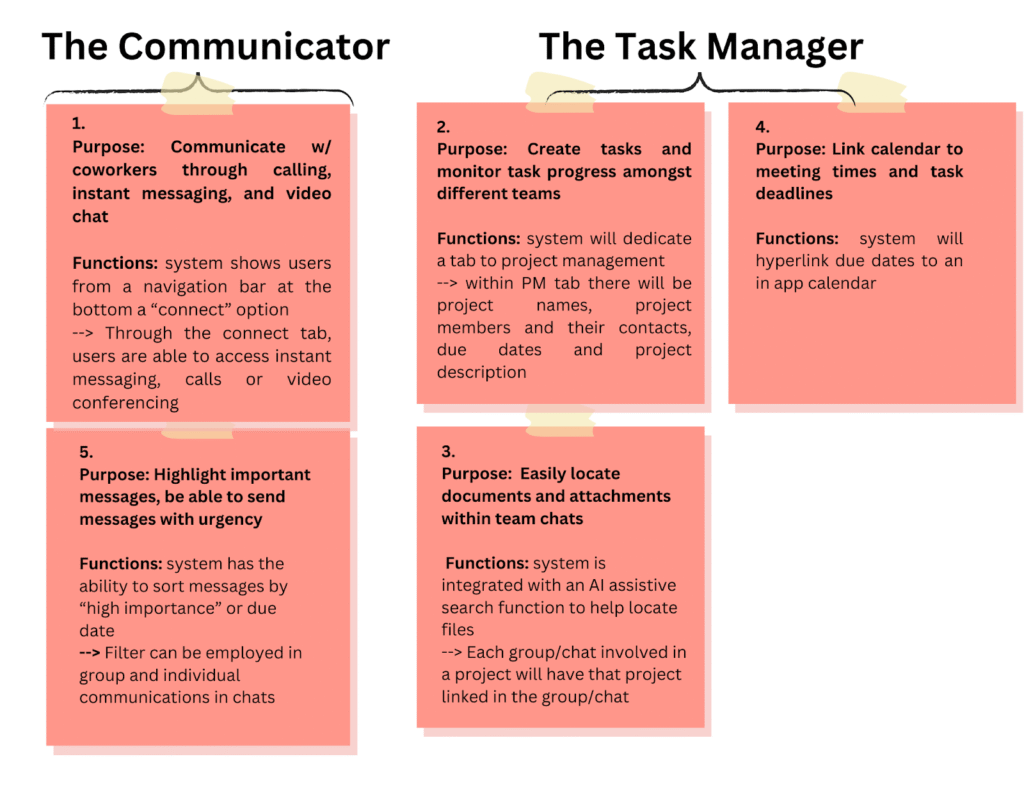
Through this step we are able to flesh out more product detail, figuring out step by step solutions for each of the problems posed by test users. The User Environment Design allowed us to create deeper differentiations between principal functions of the product to outline specific abilities. It also allowed us to visualize links between different services offered by the app to create a cohesive brand of user fulfillment.
Prototype Creation & Testing
In order to test the usability and functionality of TeamWork, an interactive prototype was created using Glide, an online app builder. The prototype testing was conducted amongst a group of young professionals familiar with the functionality and expectations of a large-scale messaging application to be used in the workplace, such as Microsoft Teams or Slack. This group was selected for their ability to provide meaningful feedback as members of Generation Z, who will increasingly populate the workforce over the next 5-10 years.
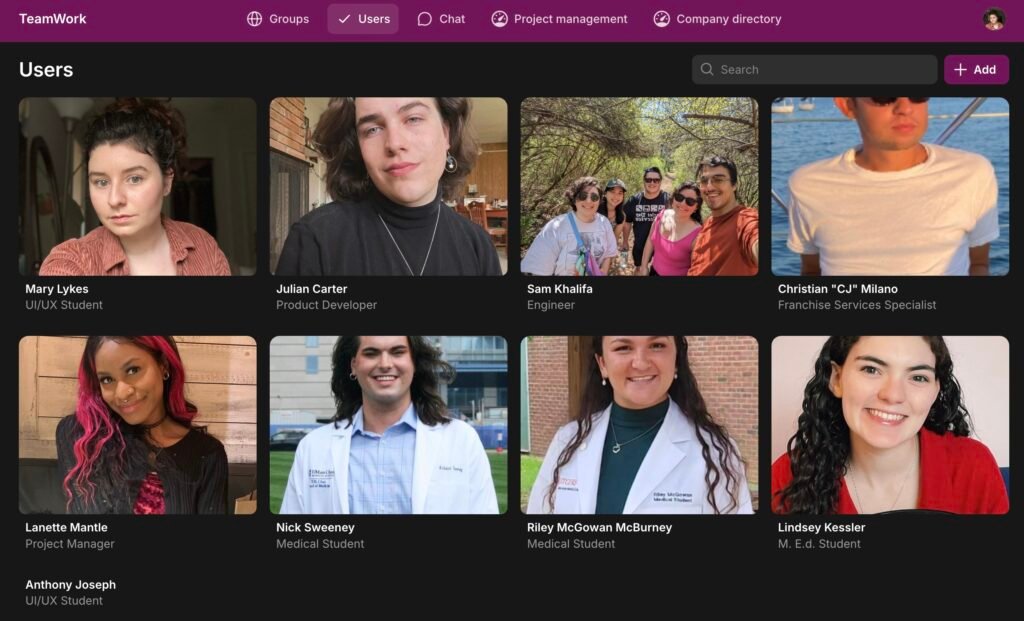
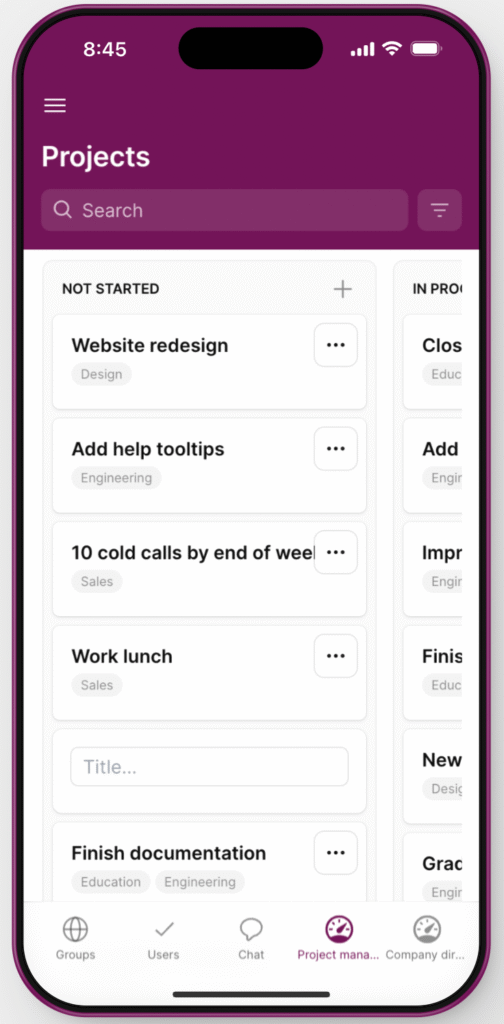
TeamWork’s prototype was tested in a 30 minute focus group amongst seven users on Zoom. Users were introduced to the basic concept of the product, to function as an all encompassing messaging platform to be used at work. The testing was conducted with an introduction to each of the tabs and then users were given 3 minutes to explore. Once users were done exploring, initial impressions were discussed among the group and noted by the interviewer. Users were asked about navigability and function, as well as which functions they found to be most useful.
User Feedback & Design Recommendations
Overall, the user feedback upon conducting a live prototype test was overwhelmingly positive. Through initial feedback, the Project Management tab was agreed upon unanimously by users as the best feature offered by TeamWork. To test the navigability of the app, users were asked to create a project within the Project Management tab. Users were then asked to share what event they created and what tags they assigned: due dates, project status, teams, and/or project description. Users were timed in this activity. All users completed the task in under 3 minutes.
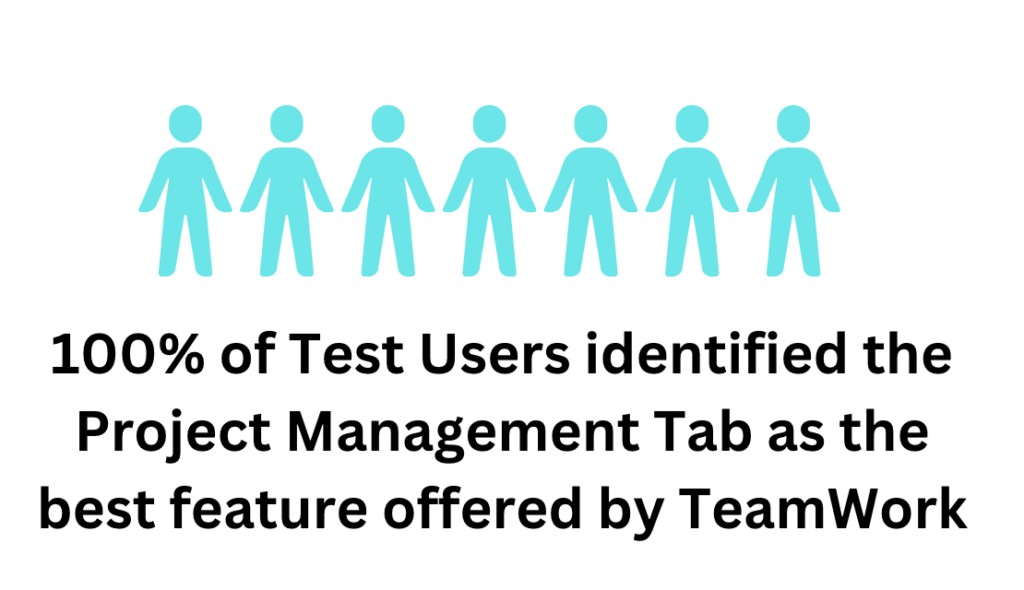
In order to determine what capabilities were most important to users, our feedback form, filled out by interviewees post prototype testing, asked participants what features they enjoyed most while engaging with the TeamWork application. The unanimous response amongst participants was the Project Management function.
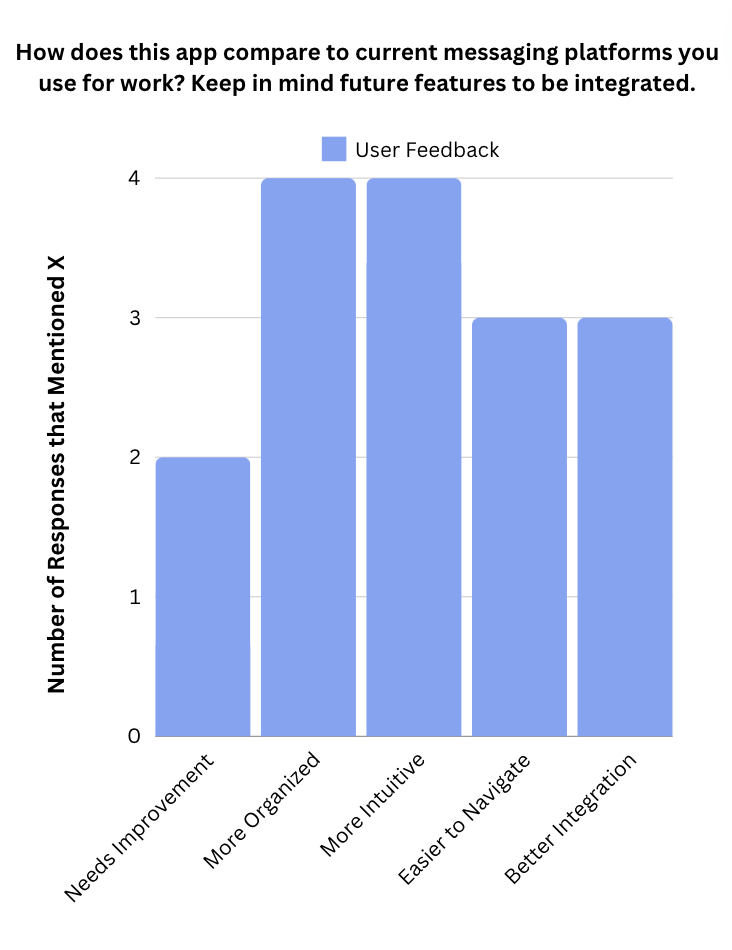
As a potential new competitor in the digital workplace, TeamWork’s success is dependent on its ability to stand out compared to current product offerings. By asking users how TeamWork compares to current competitors, we are able to observe a positive reception from the majority of test users, with a few specific notes of how to improve the app further. By isolating what exactly makes TeamWork better, we are able to prioritize the further development and maintenance of these functionalities.
Project Conclusion
Key takeaways from the prototype test include:
- Increased integration and direct linking between tabs, rather than having to manually click between tabs to find desired content was expressed by users as a possible improvement to TeamWork’s accessibility and ease of use.
- Users affirmed that TeamWork’s learning curve wasn’t as steep as other mass messaging apps.
- Needs further development, particularly in relation to communication features. Desires for video conferencing and individual chat functions were frequently mentioned.
Moving forward, we will incorporate this feedback into the app’s development, focusing on enhancing usability, streamlining workflows, and delivering an exceptional user experience. This project emphasized the importance of thorough user research in product development. We realized that integrating user feedback early and consistently throughout the design process ensures a more usable, impactful final product. Understanding the nuances of each user persona, from tech-savvy professionals to those less accustomed to technology, shaped our approach to creating an inclusive platform.